Pisarski Parser AI
Advanced office automation, invoices, two AI analysis models, and XLSX files in one place.
Pisarski Parser AI is a complete, professional ecosystem designed to completely eliminate repetitive manual office work (such as mindless data re-typing). Regardless of whether your office processes hundreds of incoming invoices every month, analyzes complex contract scans, or handles voice notes and instructions, our advanced web interface enables the instant conversion of these resources into ready-to-use, formatted files and Excel spreadsheets. The system has been designed to maximally shorten working time for accounting departments, administration, and entrepreneurs who value time and accuracy.
Thanks to the power of artificial intelligence based on two independent analysis models, the parser precisely identifies key document fields (such as tax identification numbers, net/gross amounts, item positions, dates, or contractor details) and places them in seconds into precisely defined structures while keeping your business spreadsheet architecture intact.
User Interface and File Management Panel
See what the simple process of adding files, choosing analysis models, and generating results looks like. Click on the thumbnail to enlarge it.
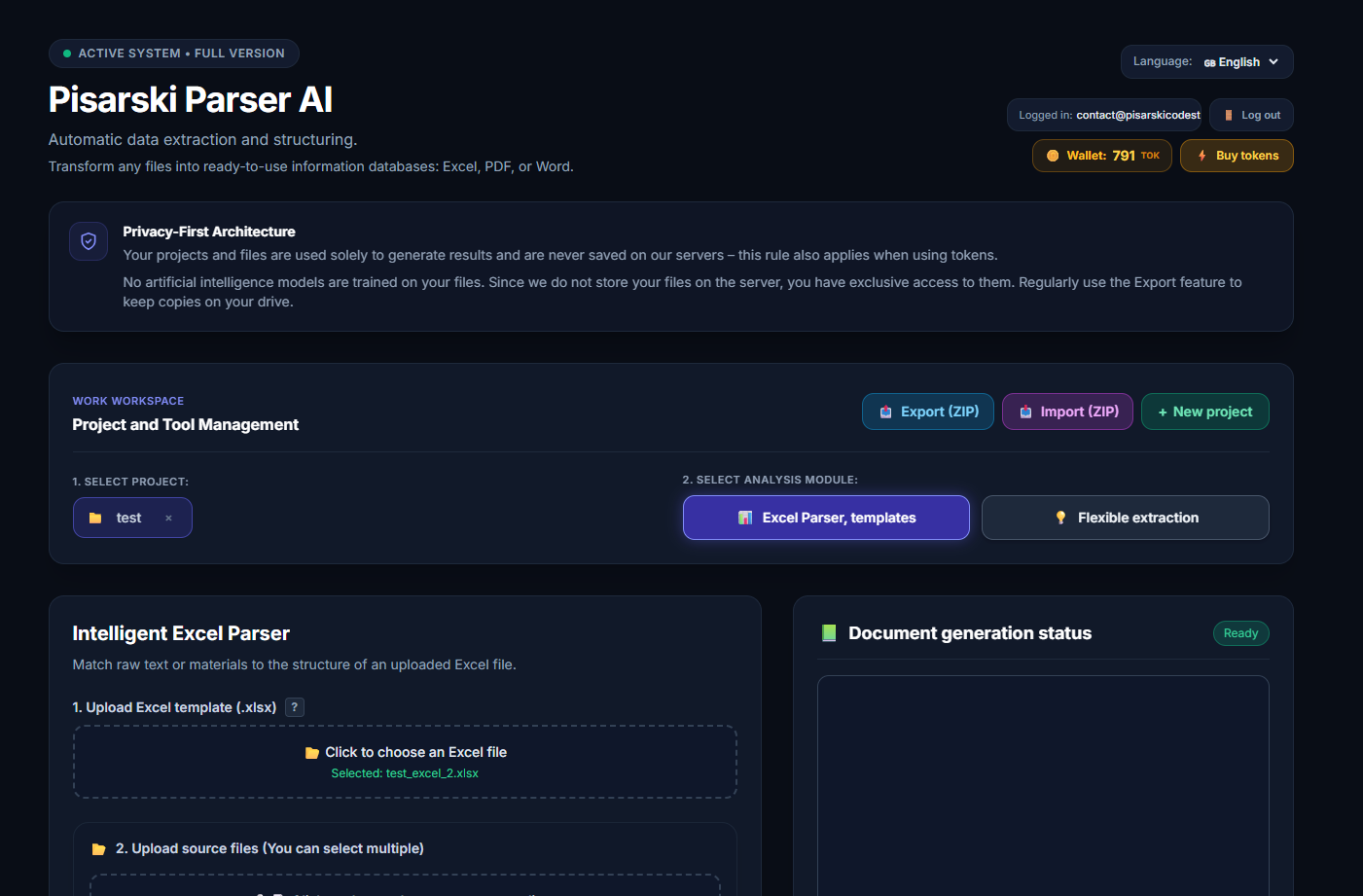
1. Uploading files and documents
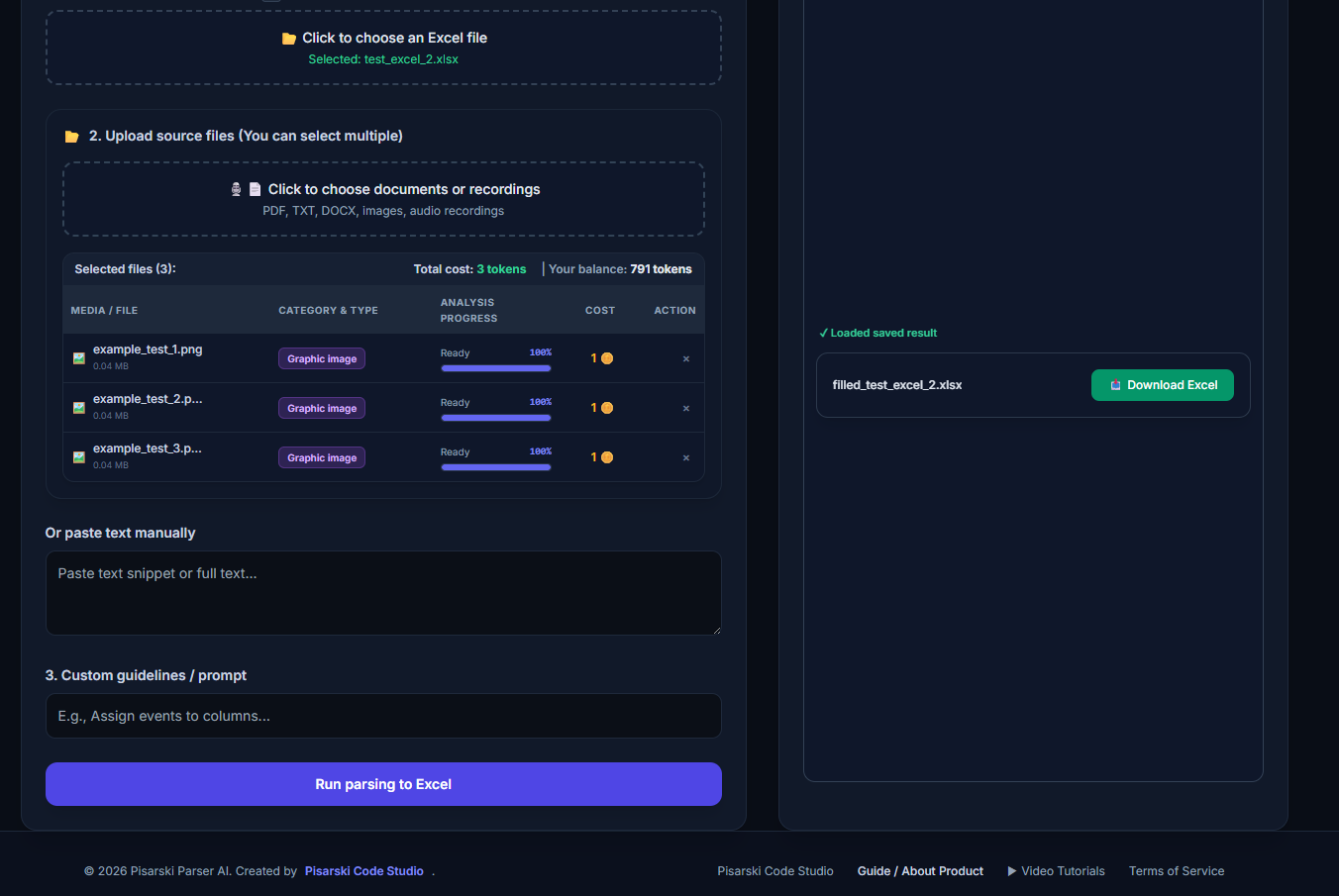
2. First choice of analysis model and extraction
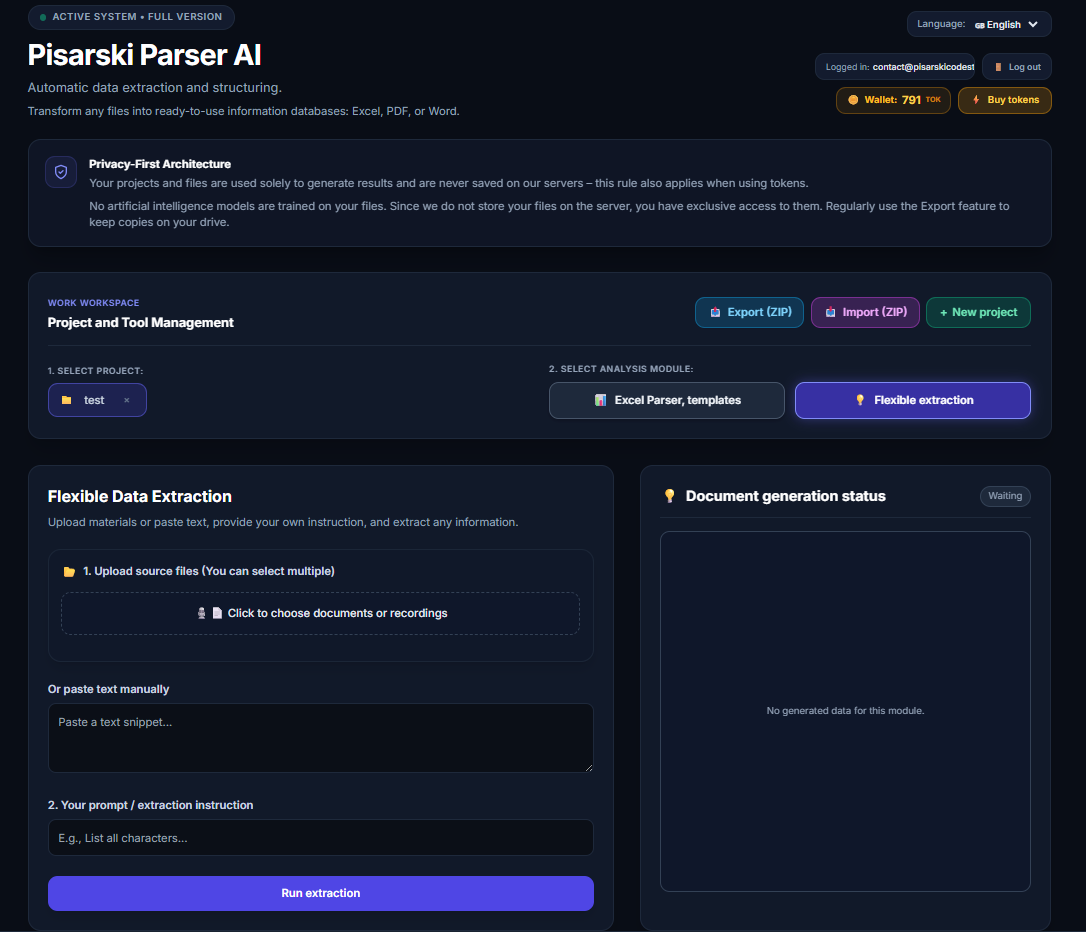
3. Second choice of analysis model and extraction
See How It Works in Practice (Video Tutorial)
Watch the screencast showing the application live.
Two AI Analysis Models and Core Features
Tailor the computing power of artificial intelligence to your office requirements.
⚡ Two Independent AI Analysis Models
The system architecture is based on a flexible choice of AI models, allowing you to perfectly balance speed and processing accuracy depending on the specificity of the assigned task:
- Standard Model (Fast): Designed for machine, lightning-fast processing of repetitive documents. Easily handles standard VAT invoices, structured PDF files, and digital DOCX documents, returning results in fractions of a second.
- Deep Model (Advanced): Dedicated to tasks with a high degree of complexity. Activates powerful neural network resources to interpret noisy scans, handwritten notes, unusual table layouts, as well as complex text and voice instructions, guaranteeing error-free extraction from even the most problematic sources.
📁 Intuitive File Adding and Revolutionary Voice Notes Processing
Operating comfort is at the highest absolute level thanks to a modern drag-and-drop interface and unique multimedia capabilities:
- Drag & Drop: Upload any files – from single PDF invoices to multi-page DOCX contracts and scans or images in PNG/JPG format.
- Voice Notes Module (Transcription and Audio Analysis): No time to write emails or instructions? Dictate your verbal requests, and an advanced speech-to-text engine combined with the AI parser will instantly convert your recording into structured spreadsheet data or ready business reports.
📊 Full Security and Integrity of VBA Macros in Excel
One of the biggest problems with automation tools is breaking spreadsheet structures. Pisarski Parser AI handles your workflow without compromise. The system can inject extracted data directly into designated places within your existing XLSX spreadsheets while ensuring that all advanced VBA macros, formulas, and charts remain intact. If protected or locked corporate templates are detected, the parser automatically generates a secure, independent report sheet, eliminating any risk of corruption to your enterprise databases.
Frequently Asked Questions (FAQ)
Everything about how analysis models work and adding files.
What exactly is the difference between the two analysis models in the program?
The standard model is optimized for speed and low resource consumption during routine mass processing of standardized invoices. The advanced (deep) model, on the other hand, utilizes the full capabilities of contextual reasoning of language models, enabling it to flawlessly interpret custom document layouts, poor-quality scans, and complex data relationships within tables.
How does the process of adding files and processing voice recordings work?
The entire process is maximally simplified: you drag and drop documents (PDF, DOCX, images) or upload an audio file containing a recording (voice note) directly into the browser window. Then you select your preferred analysis model and output format (e.g., Excel while preserving VBA macros), and the algorithm generates ready, organized results for download or implementation in the enterprise within seconds.